How to modify the website?
Follow these steps to update any page of the documentation.
Navigate to the
doc/sourcefolder on the main branch and select the.rstfile you want to modify.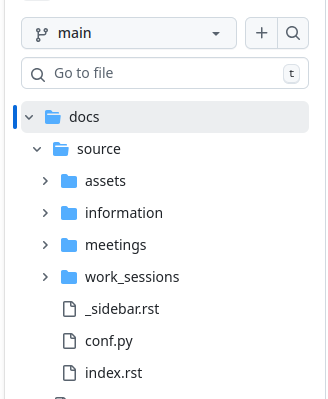
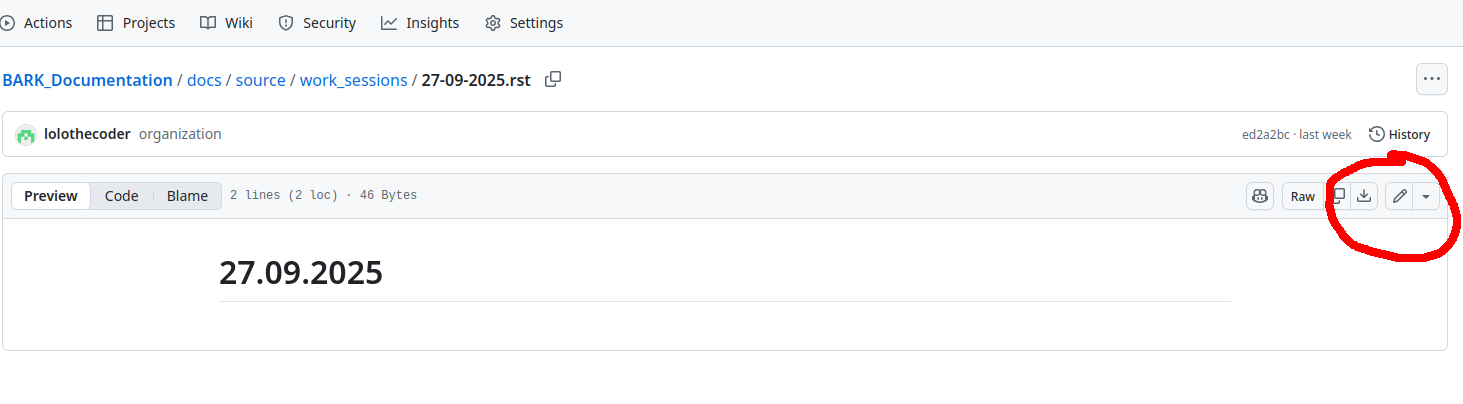
Click the pencil button on the file you wish to edit.
Make your changes and click Preview to verify the page appears as desired.
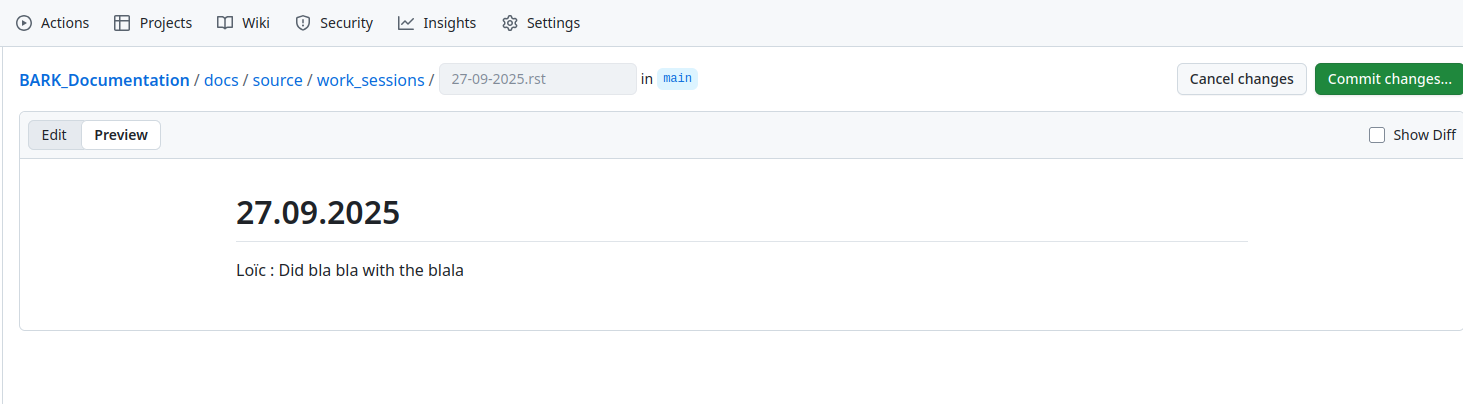
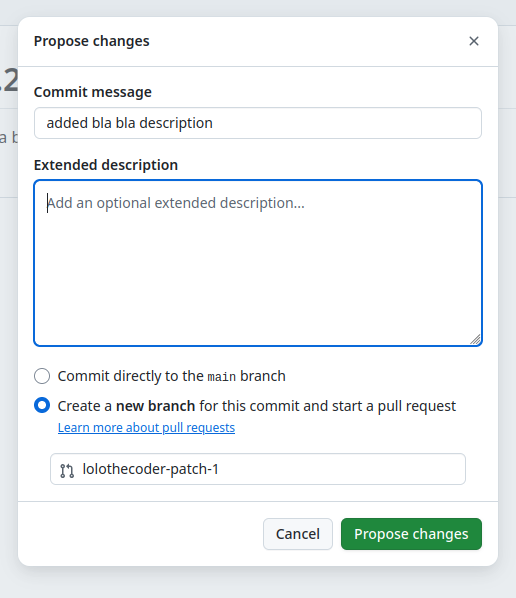
Click Commit changes, write a brief description in the commit message, ensure Create a new branch… is selected, and press Propose changes.