Software
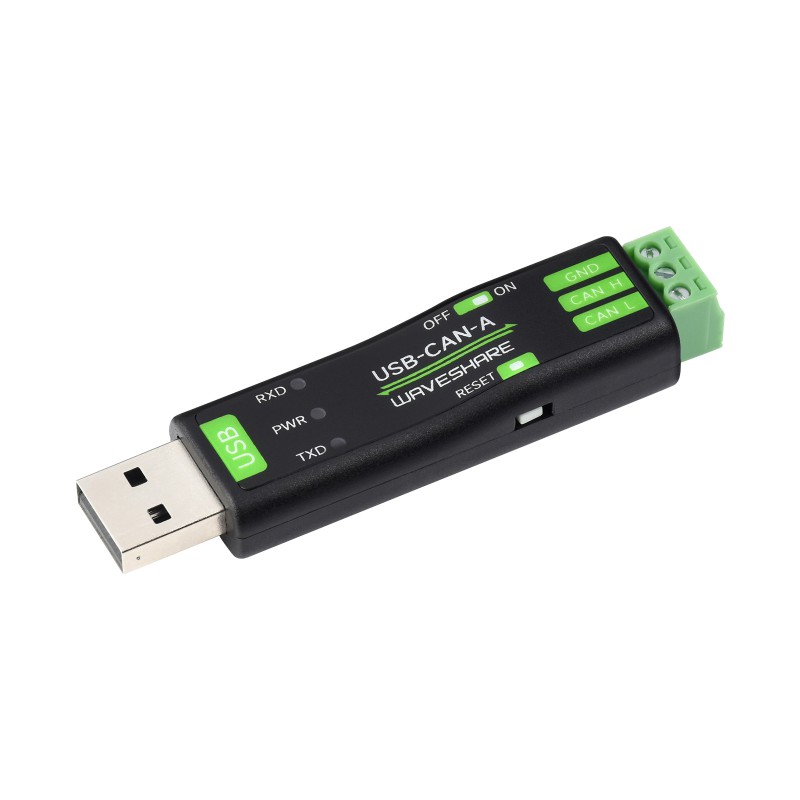
To facilitate communication between the Jetson/PC and the motors, a USB-to-CAN adapter is required. For this project, we are using the following adapter:
Motor Calibration
The motors come pre-flashed from the factory. Instead of flashing, you must perform a calibration sequence using the ODrive tools.
Setup Requirements:
Python: Ensure Python is installed on your system.
- ODrive Tool: Install via pip:
pip install odrive
Zadig: Download Zadig (included in the motor documentation zip).
Driver Configuration (Windows):
Open Zadig and select .
In the main dropdown, select CyberBeast Motor Driver Device (Interface 2).
Set the target driver to WinUSB (or
libusb-win32).Click Install Driver (or Replace Driver).
Calibration Procedure:
Open your terminal or Command Prompt, activate your environment, and run odrivetool. Execute the following commands:
# Measures internal resistance (Motor will beep)
odrv0.axis0.requested_state = 4

# Position calibration (Motor will turn forward and back)
odrv0.axis0.requested_state = 7

# Save configuration (One-time setup for secondary encoders)
odrv0.axis0.motor.config.pre_calibrated = 1
odrv0.axis0.encoder.config.pre_calibrated = 1
odrv0.save_configuration()
Testing the Connection:
To verify the motor responds to commands over USB (Type-C), run:
odrv0.axis0.requested_state = 8               # Energize motor
odrv0.axis0.controller.config.control_mode = 2 # Velocity control
odrv0.axis0.controller.config.input_mode = 1
odrv0.axis0.controller.input_vel = 10          # Set target speed
CAN Communication Prerequisites
To communicate via CAN using Python, install the necessary libraries:
pip install python-can[gs_usb]
# If using Conda: conda install libusb
pip install libusb
Testing Scripts:
For validation, refer to the CAN_test_sender.py and CAN_test_receiver.py scripts in the repository. These tests typically require two CAN adapters to verify cross-communication.
Note
View the source files in the EPFL BARK Git Repo.